Edgeで.applicationファイルを実行すると、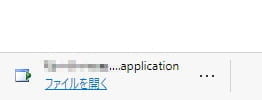
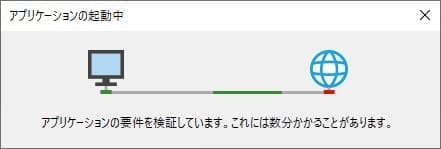
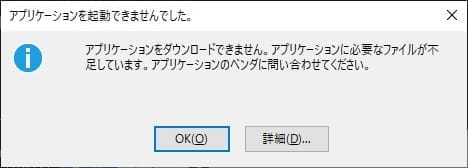
となってしまう場合があります。
ClickOnce と DirectInvoke が停止されていると、このような状態になるため、強制的に許可してみます。
対処方法
- Edgeを閉じる
- 管理者権限なコマンドプロンプト(または管理者権限のPowerShell)にて
reg add "HKEY_LOCAL_MACHINE\SOFTWARE\Policies\Microsoft\Edge" /v "ClickOnceEnabled" /t REG_DWORD /d "1" /f
reg add "HKEY_LOCAL_MACHINE\SOFTWARE\Policies\Microsoft\Edge" /v "DirectInvokeEnabled" /t REG_DWORD /d "1" /f
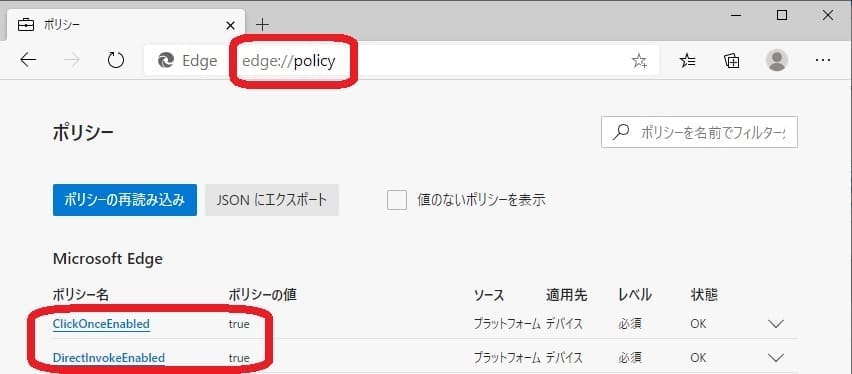
- Edgeを開き、URL欄に edge://policy/ と入れる
- ClickOnceEnabled 及び DirectInvokeEnabled がどちらもtrueになっていれば成功
 (見えないときはOSを再起動して再確認)