タスクを『任意のユーザのログオン時』に実行させたい場合

タスクスケジューラで作成したタスクを任意のユーザのログオン時に起動したい場合のTipsです。

通常通りにタスクスケジューラでタスクを作成、動作テストを行ったあとに、次のように設定を変更ください。

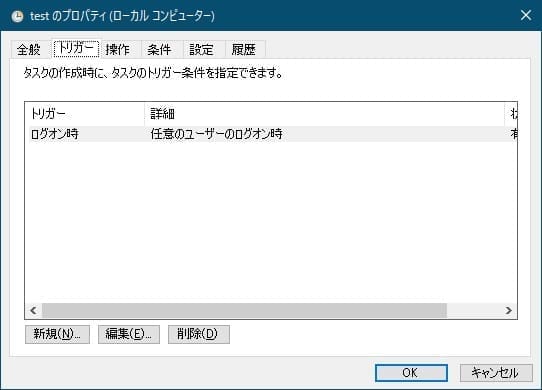
  1. トリガー
    任意のユーザーのログオン時、に変更します
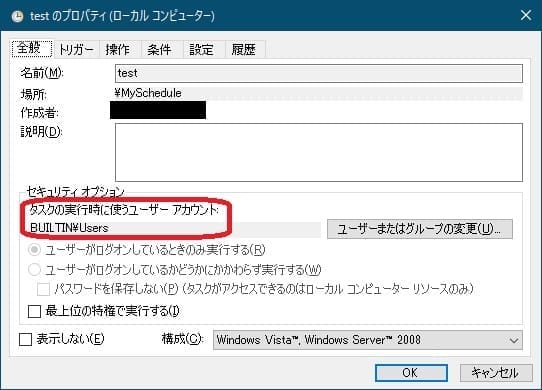
  2. 全般
    タスクの実行時に使うユーザーアカウントを、当該環境の『任意のユーザ』が含まれるグループに変更します

以上です。

 

This website stores cookies on your computer. These cookies are used to provide a more personalized experience and to track your whereabouts around our website in compliance with the European General Data Protection Regulation. If you decide to to opt-out of any future tracking, a cookie will be setup in your browser to remember this choice for one year.

Accept or Deny