HOME
Tips
Visioのコネクタに中点(角/中丸)を追加する
Visioのコネクタに中点(角/中丸)を追加する
2020年9月15日
2020年8月4日
Tips
Visio
,
コネクタ
,
中点
なかなかやり方がわからなかったので、自分用メモとして遺しておきます。
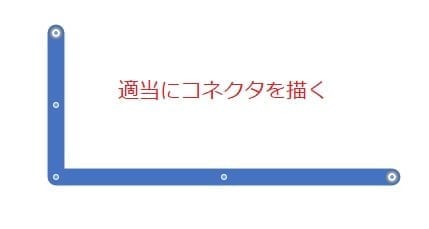
適当にコネクタを描く
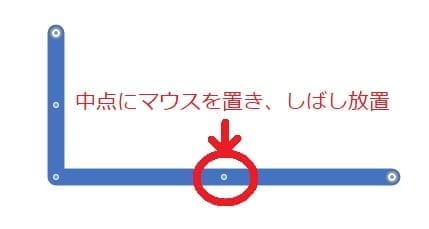
中点にマウスポインタをオーバーレイし、しばらく放置
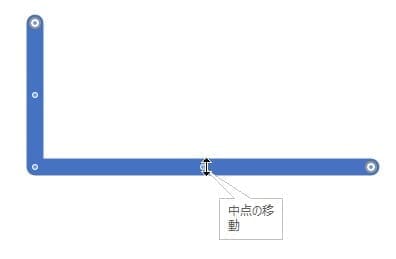
少し待つと、『中点の移動』なる表示が出現します
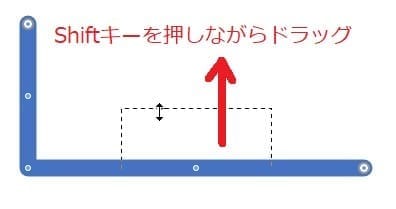
Shiftキーを押したままドラッグ
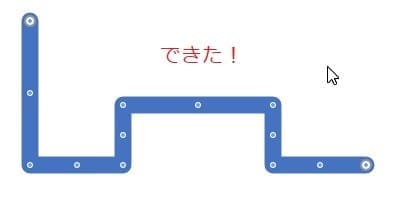
マウスを離すと、新たな中点が作られます
あとはこの中点を好きなようにドラッグしてコネクタを整形してください。
Prev
2020年9月10日
Amazon Chime で音が出ない時
Next
2020年9月20日
Edgeで.applicationファイルが開けないとき